Ever thought that your IT system might be giving you a quiet hint about little issues before they turn into real disasters? Infrastructure monitoring grabs live data from your cloud setups, servers, and computers so you can see where your network is strong and where it’s feeling the pressure.
With real-time numbers and alerts, your team can spot problems early and jump in quickly. This means fewer surprises and a smoother workday overall, which builds a more reliable system and boosts customer trust.
Comprehensive Infrastructure Monitoring Overview
Keeping an eye on your IT systems means gathering data from cloud setups, computer systems, storage, servers, and even virtual systems. It collects numbers, logs, and alerts to show you how things are performing in real-time. This way, you get a clear snapshot of when resources are stressed or errors are popping up, so teams can act quickly.
This approach helps tie business goals to the smooth running of your network. With instant access to performance data and alerts, teams can keep systems reliable and meet user needs without delay. By tracking the important details, organizations protect continuous service and high quality. It’s a proactive way to manage settings and updates, making sure that growth and customer happiness go hand in hand.
For IT folks, great infrastructure monitoring means spotting issues early, using resources wisely, and fixing problems fast. Live data shows odd patterns or early signs of trouble, so teams can act before issues turn into expensive downtime. For example, if automated alerts notify you of network stress, you can make quick adjustments to balance the load. This mix of timely insights and quick actions ensures your IT foundation stays strong to support critical business tasks.
Key Methods and Types of Infrastructure Monitoring

A strong IT setup depends on two main ways to keep an eye on performance: agentless monitoring and agent-based monitoring. These two methods work hand-in-hand to check on your cloud systems, network devices, virtual machines, and storage. They gather bits of data from all over your system so teams can catch problems early and keep things running smoothly.
Agentless Monitoring
Agentless monitoring uses familiar tools like SNMP, WMI, or cloud APIs to pull basic stats. It’s like getting a snapshot of the status of routers, switches, and virtual machines without installing any extra software on them. This method lightly impacts system resources, so it’s great when you need a quick and wide check across many devices.
Agent-Based Monitoring
Agent-based monitoring, on the other hand, means putting a small piece of software directly on your devices. These little agents dig deeper by checking details like CPU usage, memory loads, and even custom log files. It’s perfect when you need a closer look at key parts of a system, especially in environments that handle important, complex workloads.
In many real-world setups, IT teams combine these approaches. They use agentless monitoring for broad, efficient checks across many devices and agent-based monitoring when they need detailed insights from critical parts. This mix keeps the whole system clear and secure, ensuring smooth operations around the clock.
Essential Performance Metrics and Real-Time Diagnostics in Infrastructure Monitoring
Performance metrics are the heartbeat of any IT system. They give you a live look at how your network, servers, and apps are doing. By checking things like response time (how fast your system replies) and resource usage, you can catch little glitches before they become big problems. Imagine it like a quick health check that lets you know when your CPU load or disk activity isn’t quite right.
Keeping an eye on these numbers helps you notice unusual patterns almost immediately. The steady pulse of your IT setup comes through in reports that show everything, from everyday operations to sudden spikes in activity. You can compare today’s numbers with past records to see if something feels off. Here are seven key metrics that many systems track in real time:
- CPU utilization
- Memory usage
- Disk read/write latency
- Network throughput
- Application response time
- Error rate per transaction
- Uptime percentage
Notification rules and anomaly detection workflows wrap up the monitoring process. These tools check real-time data against historical averages to spot any changes, early on. If a metric goes beyond its set limit, say, if the application response time slows down more than expected, a proactive alert is triggered. This heads-up helps teams jump in quickly to fix issues, keeping IT performance both strong and reliable.
Comparing Top Infrastructure Monitoring Tools
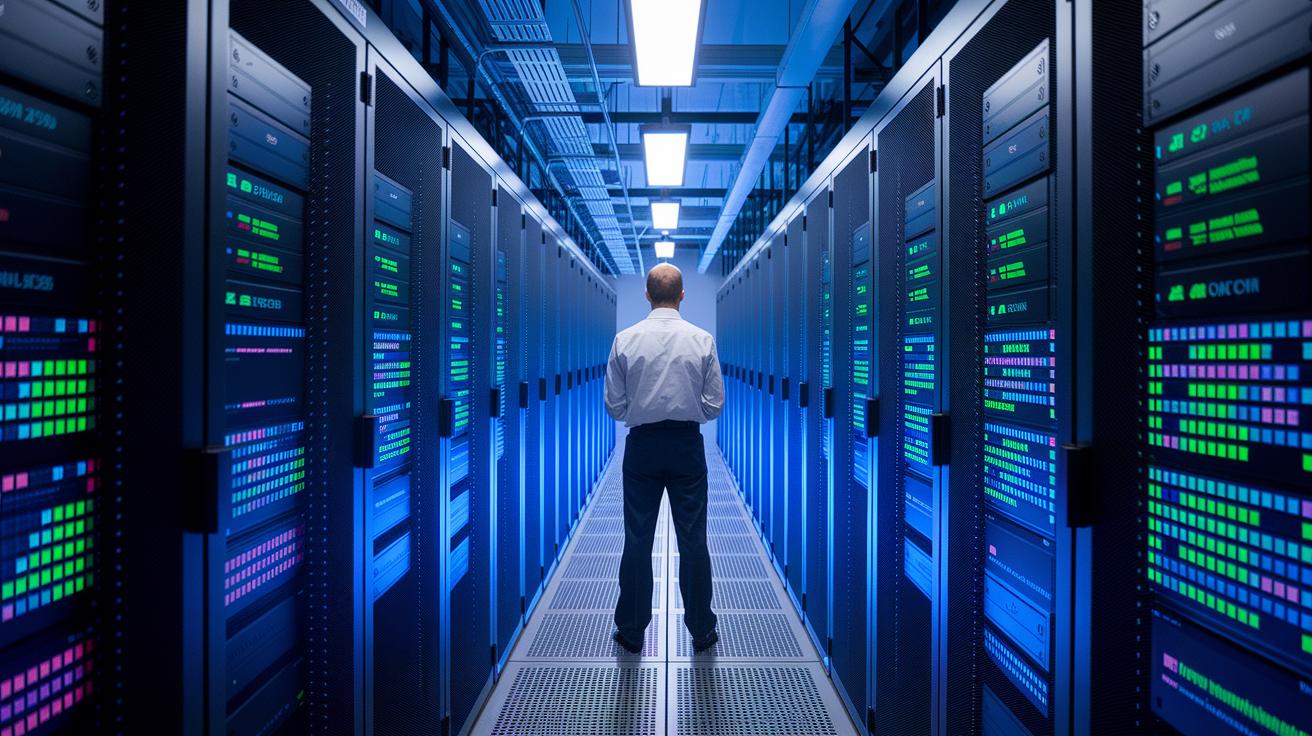
Today’s IT world is full of different monitoring tools that meet a range of needs. Picking the right one can really speed up how quickly teams spot problems and understand system performance. In this chat, we’re checking out five top platforms that keep IT systems running smoothly. They each gather data and show important metrics in unique ways, making life easier for tech teams. For example, one tool might offer fantastic synthetic monitoring for cloud setups, while another shines at linking logs from many systems to find the root cause of issues.
| Tool | Key Features | Best Use Case |
|---|---|---|
| Datadog | Cloud-native observability with synthetic monitoring, customizable dashboards, full API visibility | Comprehensive monitoring for dynamic cloud environments |
| Splunk | Centralizes log data; supports complex searches and correlation for root cause analysis | Detailed data analysis and troubleshooting across diverse systems |
| Grafana | Time-series metrics visualization with dynamic dashboards and alert thresholds | Real-time data display and customizable reporting |
| Nagios Core | Plugin-based architecture with real-time notifications for hosts, services, and environmental conditions | Monitoring of hosts and essential services with immediate alerting |
| Prometheus | Pull-model metrics collection, flexible query language, rule-based alerting | Scalable solutions for environments requiring detailed metric queries |
When you’re choosing a monitoring tool, think about how easy it is to blend with your current systems, how well it can grow with you, and the depth of insights it offers. It’s all about finding the right match for your IT needs. For instance, Datadog fits well with cloud-native setups, while Splunk is great when you need to dig deep into lots of log data. And then there’s Grafana, known for its eye-catching dashboards, plus Nagios Core, which is all about a simple plug-and-play approach. Matching these tools to your use cases can make sure your choice not only meets today's challenges but also grows with you in the future.
Implementing an Effective Infrastructure Monitoring Strategy
The best monitoring plan kicks off with clear service goals and a single dashboard that brings together all your logs and metrics. This clear view helps your team quickly spot trends and decide when an alert is really needed. It also ties in automated workflows that jump right into the right escalation paths, so you catch issues before they spiral.
Setting Thresholds and Alerts
It all starts with choosing the right thresholds. Dynamic thresholds change with everyday patterns, while static ones stick with fixed numbers. And by setting up smart notification channels, you cut down on alert fatigue, only the most important alerts get through. For example, if you set a baseline for CPU usage, an alert pops up the moment usage goes over that line, letting your team step in quickly.
Root Cause Examination Process
When an alert fires, quick diagnosis is the next step. Your team maps out dependencies with simple diagrams, checks logs from different systems, and reviews metrics with a careful eye. Then a structured review session helps refine the response process, building a stronger, more resilient system over time.
Regularly reviewing thresholds, notifications, and diagnosis methods turns last-minute fixes into smart, proactive solutions. This way, your IT operations stay agile and ready as your infrastructure grows.
Addressing Common Infrastructure Monitoring Challenges

Large companies often end up using eight to ten different monitoring tools. This mix can create blind spots and keep teams from seeing the full picture of their systems. Cloud apps add even more twists because their native dashboards rarely fit in with your other tools, making it tough to keep an eye on everything.
Costs and rules don’t make it any easier. Many older solutions charge extra per host or for keeping data for a long time, which quickly bumps up your expenses. And trying to maintain a steady audit trail and meet compliance standards across different systems can feel like juggling too many balls at once, stressing both staff and budgets.
But there’s a simpler way. Bringing everything together on one platform can really cut down the hassle. A unified system that collects data, standardizes alerts, and keeps thorough audit trails helps reduce risks. This streamlined method lets teams easily check on system health and keep up with compliance, making your monitoring process more transparent and efficient as IT demands grow.
Advanced Trends in Infrastructure Monitoring with AI and Predictive Maintenance
Imagine a monitoring system that feels almost alive. Next-generation platforms use AI to spot anything odd by studying behavior patterns. They cut down on unnecessary alerts and focus only on what matters most. And they even predict problems before they blow up, kind of like a friendly mechanic who knows which part might give out before it actually does.
The system works a bit like this:
- Smart anomaly finding that picks up on unusual behavior using self-learning methods.
- Automated suggestions that help pinpoint the root cause by linking related events.
- Forecasting future issues by checking out trends from past data.
Companies putting these ideas into play report around a 30% drop in outages and enjoy noticeably quicker responses when issues pop up. In fact, by using these smart techniques, monitoring shifts from a reactive chore into a proactive lifeline for IT management. This means fewer hiccups and smoother operations whether you’re in the cloud or managing on-site systems. The system picks up on subtle signals and trends, keeping your infrastructure strong, ready, and always in tune with your business needs.
Final Words
In the action, we walked through practical steps for a smooth, secure cloud setup. We looked at different methods for collecting and analyzing data, explored real-time diagnostics, and even touched on AI trends for future gains.
Each part shows how a clear approach to infrastructure monitoring leads to better system reliability and smarter operations. Take these insights to build a secure, scalable cloud environment that works for you.
FAQ
What is infrastructure monitoring?
Infrastructure monitoring means collecting and analyzing data from IT systems like servers, networks, and cloud services. It helps detect issues early and boost both performance and reliability.
What are the types of monitoring and infrastructure components?
The types of monitoring include checks for system, network, application, and security performance, while infrastructure components typically span on-premise, virtual, cloud, and hybrid setups.
What are common infrastructure monitoring metrics?
Common metrics for monitoring include CPU usage, memory, disk latency, network throughput, application response times, error rates, and uptime. These figures help teams spot potential issues before they escalate.
What infrastructure monitoring tools are available, including open-source options?
The range of infrastructure monitoring tools includes Datadog, New Relic, Dynatrace, Splunk, SolarWinds, and AppDynamics, along with various open-source solutions that offer distinct features for different needs.
How does cloud infrastructure monitoring differ?
Cloud infrastructure monitoring focuses on tracking performance, uptime, and issues within virtual environments and cloud services, allowing scalable operations without the need for managing physical hardware.
How does Datadog price its infrastructure monitoring services?
Datadog prices its infrastructure monitoring with subscription models that vary by usage and desired features, so checking their current plans on the website provides the most accurate details.
What do infrastructure monitoring jobs involve?
Infrastructure monitoring jobs involve roles like system administrators and monitoring engineers who analyze performance data, track metrics, resolve issues, and work to keep systems running smoothly.
How do tools like New Relic enhance infrastructure monitoring?
Infrastructure monitoring tools like New Relic provide detailed insights into application and server performance, which helps teams quickly detect issues and make informed decisions to maintain system health.

